
Writing Goals & Statistics
kindling tracks the length of your manuscript and the words you add as you write. Counts and goals belong to each project, so work on one book does not count toward another book’s goal.
Where to see your progress
Section titled “Where to see your progress”The sidebar shows project, chapter, and scene word counts, plus today’s progress, your session total, and your writing streak. The status bar at the bottom of the window keeps the current scene, chapter, project, and session totals visible when the sidebar is collapsed.
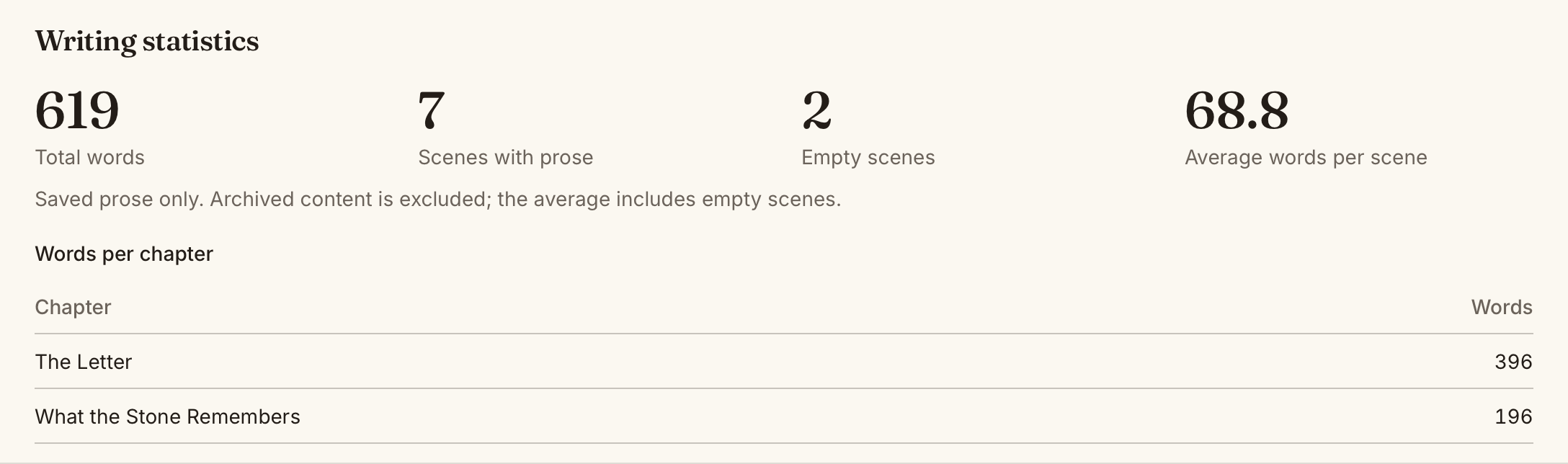
Choose Writing statistics in the status bar to see:
- Total manuscript words
- Scenes with prose and empty scenes
- Average words per scene, including empty scenes
- A word count for each chapter
Manuscript counts use saved prose from each scene’s active Beat or Page view. Outline prompts and synopses do not count as manuscript words. Archived scenes and chapters are excluded.
Set a daily goal
Section titled “Set a daily goal”Open File → Settings… → Project Details, choose a project, and set its Daily writing goal. Choose Save project changes to save it. See Settings for the full set of project preferences.
The default goal is 500 words. Set it to 0 to turn the goal off. The project’s overall Word target is separate from its daily goal.
Changing the daily goal updates today’s target. Earlier days retain the goals they had at the time.
What counts toward today and your session
Section titled “What counts toward today and your session”Daily and session totals measure net words added through saved edits. Adding 300 words and deleting 100 earns 200 words. Deleting more than you add can make a total negative; it does not mean your manuscript has a negative word count.
Imports, duplication, reorganisation, restoring a draft, and accepting editorial suggestions do not earn writing credit. They can change manuscript length without adding to today’s writing total.
A session measures work in that project since opening the app or resetting the session. Choose Reset beside the sidebar’s session total to begin another session. Resetting does not clear today’s total, your goal, or your writing history. If pending prose cannot be saved, resolve the save error before resetting.
Writing streaks
Section titled “Writing streaks”A streak counts consecutive days on which you met that day’s goal, using your computer’s local date. If you met yesterday’s goal but have not met today’s yet, yesterday’s streak stays visible until midnight. Goals set to 0 do not earn streak days.
The counts describe word changes. A day spent cutting or revising may move your manuscript forward without adding to a streak.
If a count looks wrong
Section titled “If a count looks wrong”Wait for prose to save, then open Writing statistics to refresh the breakdown. Check which view the scene uses and whether any scenes or chapters are archived. If kindling reports a save or statistics error, resolve it before relying on the displayed total.
See Scene Workflow for drafting tools and Editorial Review for suggestions and draft history.